Rust Maps Guide: Types, Seeds, Custom Rust Maps & How to Use Them


A good wipe starts long before you place your first base. Rust maps shape where you spawn, how far you travel, which monuments you can reach, where resources appear, and how often you meet other groups. Because of that, your map can change the pace of an entire server from the first hour.
This guide covers every main map Rust type, the in-game view, seeds, map size, custom maps, Rust console map seeds, and the tools you can use before a wipe. Once you understand the island, your routes, base spots, and monument choices become much easier to plan.
What Is a Rust Map and Why Does It Matter?
A Rust map is the island world used by a server. On a procedural server, the game creates that island from a seed and a selected size. On a custom server, you use a designed world file instead. In both cases, Rust maps define the ground you cross, the places you fight over, and the routes between your base and major monuments.
Standard procedural Rust maps are islands surrounded by ocean, and fresh spawns usually begin near the coast. Custom maps can use different terrain and spawn layouts. From there, you move inland toward resources, monuments, safer paths, and stronger base locations. The island also contains Temperate, Arid, Tundra, Arctic, and Jungle biomes, and each area has different terrain, climate, and resource conditions. Since those areas differ in climate and resources, your first route can affect how quickly you collect stone, metal, sulfur, cloth, food, and wood.
Monuments add another layer to rust maps. Launch Site, Military Tunnels, Oil Rigs, Outpost, and Bandit Camp can pull traffic toward specific parts of the island. If several high-value monuments appear close together, PvP can focus around that area. If they spread across the island, traffic can spread too.
The seed, type, and world size work together, so one server can feel frantic while another feels more territorial. If you still need the survival basics, our guide on how to play Rust gives you the foundation before you move deeper into Rust mapping. For first-party game information, use the official Rust page.
How to Use the In-Game Rust Map
Hold G during a session to open your Rust map. You can use the same key on official, player-run, and modded servers. The screen helps you plan a route, find monuments, and coordinate with teammates before you cross a risky area.
Your position appears as a yellow dot, while teammates appear as green dots. Rust maps also use a letter-and-number grid, so you can call out E6 instead of a long terrain description. You can toggle the grid through the Grid option.
Rust maps also mark vending machines and player shops. Move your cursor over a shop icon to see the listed item and the requested payment. Because of that, the in-game map works as both a navigation tool and a quick trade reference.
Roads, rivers, lakes, biome borders, and major monuments also appear across Rust maps. Learn those symbols early because they help you judge distance and risk. Good Rust mapping starts when you can open the map, locate your position, choose a route, and understand what lies between you and the next monument.
Types of Rust Maps – Procedural, Barren & Custom Explained
Different maps for Rust create very different server experiences. Rust maps fall into three main options: procedural, Barren, and custom. Your choice affects pace, performance, exploration, and the amount of map knowledge you can carry from one wipe to the next.
Procedural Maps – The Default Rust Experience
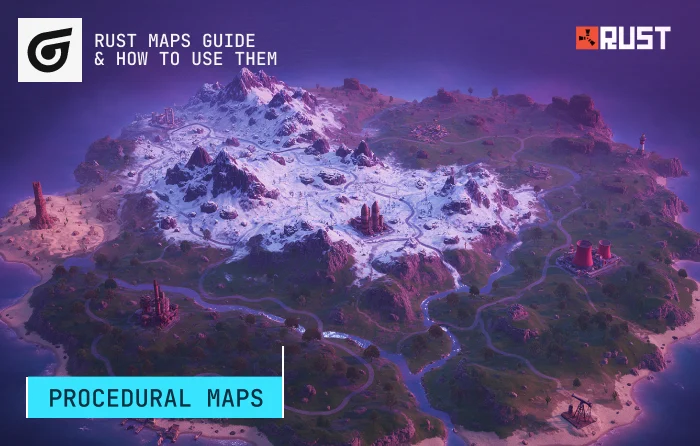
A procedural Rust map is the standard option on many official and player-run servers. The server uses a numerical seed to create the island, so mountains, rivers, roads, monuments, and biomes can change after a new wipe.
That variety keeps every wipe fresh. Even if you know every monument, you still need new routes after a seed change. Procedural maps for Rust work well if you want familiar monuments with a different layout every wipe. Rust mapping also feels less predictable because you cannot rely on the same route or base spot forever.
Barren Maps – Stripped Down for PvP
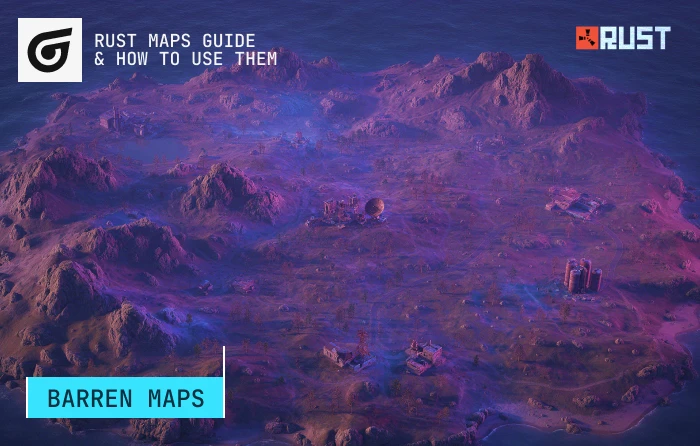
A Barren Rust map removes much of the vegetation, decorative detail, and environmental clutter found on a standard procedural island. That lighter layout can improve frame rates on lower-end hardware and can suit high-population PvP servers.
The trade-off is atmosphere. Barren maps for Rust feel sparse, with less visual cover and environmental detail. If hardware performance affects your choice, compare the Rust system requirements before you choose between a Barren server and a more detailed procedural island.
Custom Maps – Fully Designed Worlds
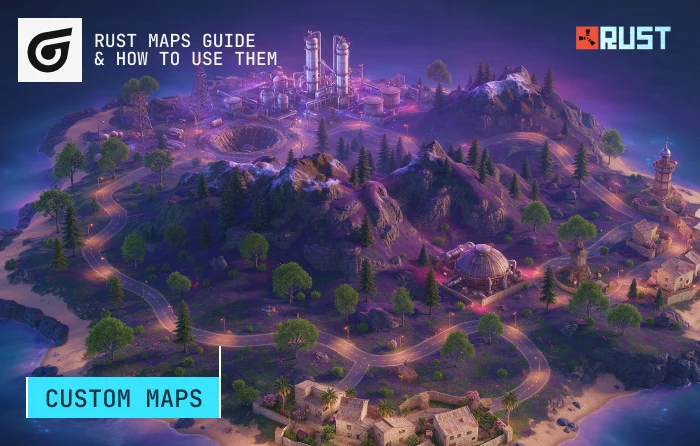
Rust custom maps replace procedural generation with a map file designed by a creator. Tools such as RustEdit let a designer shape terrain, place monuments, set biome zones, and create areas that a normal seed cannot produce.
Custom maps for Rust can recreate real locations, create fantasy islands, or provide compact PvP arenas. They also work well for roleplay servers because Rust maps can support a specific theme, route structure, or event area.
If you run a server, Rust custom maps add one extra setup step because the map file needs a host location that the server can access. Once the server is ready, you can offer an island that feels very different from standard Rust maps.
Rust Map Seeds – How They Work and How to Find the Best Ones
Every procedural Rust map uses two key server values: the seed and the map size. The seed controls the layout and shape of the island, while the size controls the scale of the world in meters.
Change the seed, and you get a different Rust map even if the size stays the same. Mountains, roads, rivers, monuments, and biome zones can shift to new locations. Because of that, if you run a server, you can preview several seeds before a wipe rather than pick a random number.
Rust console map seeds work through server configuration. Rust console map seeds use the same seed-and-size principle as PC seeds, so the value controls the generated layout alongside the selected world size. This gives you a way to plan the island before a server starts.
A useful Rust map server seed should spread key monuments across several areas rather than place every high-tier location in one corner. You also want multiple biome zones and enough flat terrain for bases. Since monument access affects progression, a better layout can also influence how quickly you reach stronger Rust gears.
Preview tools are useful for making Rust mapping faster. You can see a seed and size before you commit. A Rust server lookup can also help you identify the seed used by a live server, which gives you a faster way to study its map rust layout before you join.
When you compare Rust console map seeds, check monument balance, biome spread, travel routes, and base space together.
Rust Map Size – How Big Should Your Map Be?
Rust map size changes player density, travel time, base space, and the amount of pressure around monuments. Rust map size can range from 2,000 meters on small worlds up to 6,000 meters on the largest worlds.
| Map Size | Recommended Population | Gameplay Feel |
|---|---|---|
| 2,000-2,500m | 20-50 | Very fast pace, frequent PvP, limited base space |
| 3,000-3,500m | 50-100 | Compact server, frequent encounters |
| 3,500-4,000m | 100-200 | Balanced travel and encounter rate |
| 4,500-5,000m | 200-300 | More room for bases and longer routes |
| 5,000-6,000m | 300+ | Huge world, long travel, strong clan territory |
A Rust map that feels too small for its population can turn every resource run into a fight. That works for a PvP-focused server, but it can exhaust you if you want time for a base, resource runs, and progression.
The opposite problem appears when Rust map size is too large for the population. Long gaps between encounters can make monuments feel quiet, and routes feel empty. For many standard player-run servers, 3,500 to 4,000 meters gives you variety while encounters still happen often.
Before you choose a Rust map server, compare population with Rust map size. A 4,500-meter island can feel active at 250 people and deserted at 40. The number only makes sense when you read it next to population.
Smaller Rust maps push groups toward the same roads and monuments, while larger worlds give clans more room for territory.
Rust Custom Maps – How to Find, Install and Run Them
Rust custom maps give you full control over the island when you run a server, so Rust maps can match a specific theme or PvP flow. Instead of a procedural seed, you can use a designed world that fits your server theme, preferred PvP flow, or event structure.
You do not need to install Rust custom maps by hand. When you join a server that uses one, the map file downloads on your first connection. After that, the server loads the custom world for you.
You can find custom maps for Rust through dedicated creator platforms and RustEdit-focused resources, then compare Rust maps before you choose one. Check the total size, expected population, monument placement, terrain variety, biome layout, and update status. A map built for an older Rust version can cause compatibility problems after a game update.
RustEdit is a very powerful tool for Rust mapping as it gives you control over terrain, prefabs, monuments, and biomes. That control level allows you to create routes and areas that a normal seed cannot create with procedural Rust maps.
For editor resources, use the RustEdit resource hub. The Rust map server also needs access to the hosted custom file, while procedural maps generate from seed and size values. Custom servers can also attract extra attention during events linked to Rust Twitch drops, since unique maps can give players a different place to explore during high-traffic periods.
Rust Server Map Viewer – How to Preview Maps Before You Play
A Rust server map viewer lets you inspect a server world from your browser before you join. You can study monument positions, biome zones, terrain shape, roads, and world size at a glance.
A Rust server map viewer also helps with server choice. Compare Rust maps and see if the layout gives you the monument access or terrain you prefer before you join.
If you run a server, a viewer helps with Rust mapping before a wipe. Enter a seed and size, inspect the result, then compare it with other options. This is much faster than a separate test for every candidate seed on a Rust map server.
Some tools also provide server lookup features. A Rust server lookup can help you identify the seed, map changes, wipe information, and population history for a live server. Many server groups also post their current seed and size in a server description or Discord, so you can preview the island before you connect.
Compare several Rust maps in a Rust server map viewer to spot crowded monument clusters, empty corners, or long routes before the wipe.
Rust Mapping – Tips to Read and Navigate the Map Effectively
Good Rust mapping goes beyond the G key. You need to read terrain, understand biome borders, and use the grid fast enough that Rust maps help during actual play.
Start with biomes. Snow areas often contain high concentrations of sulfur and metal nodes, while desert areas offer stone and hemp but fewer trees. That means your route should match the resources you need. If you need ore, your map Rust plan can pull you toward snow. If you need wood, a sparse desert is a poor place to stay for long.
Use grid coordinates when you talk with teammates. A call such as D4 is faster than a long terrain description during a raid or fight. That simple method makes rust mapping much more useful for group coordination.
You should also remember your base position relative to major landmarks. If you die and return to the coast, a nearby road, monument, or biome border can help you find the route home.
Monument traffic matters too. If Launch Site or Oil Rig appears near a high-traffic area, plan another approach rather than use the most obvious route. On rust custom maps, spend the first minutes of a wipe on orientation because these Rust maps do not follow the same patterns as procedural worlds.
After you establish a strong position, you can also explore cosmetic goals such as the most expensive Rust skin. Better routes and monument access still help the survival side of your wipe.
Rust Maps – Know Your World Before the Wipe
Rust maps influence almost every choice you make. The grid helps you coordinate, world size controls travel and density, seeds shape procedural islands, and custom maps can replace normal generation with a designed world.
If you understand Rust mapping, you can choose better routes, read monument flow, and pick a Rust map server that matches the pace you like. If you run a server, you get the same benefit because seed previews and lookup tools help with wipe plans before the server starts.
For a broader survival foundation, start with how to play Rust. Also review the Rust system requirements before you choose a large world.
The more you understand Rust map structure, the less time you waste on poor routes and weak base areas. Good map Rust knowledge also helps you choose a server faster.
FAQ
Use a map editor such as RustEdit to shape terrain, place monuments, set biomes, and add prefabs. After you finish the map, host the file and configure the server so that it loads that file.
The best Rust map size depends on population and pace. A range of 3,500 to 4,000 meters can suit many standard servers because it supports frequent encounters and enough space for bases.
Rust console map seeds use a seed value together with the selected world size. Change the seed and the generated map Rust layout changes as well, even if the size stays the same.
Rust mapping covers how you read, create, preview, and plan around Rust maps. It includes grid use, monument routes, seed choice, biome knowledge, server previews, and custom-world design.
Procedural Rust maps come from a seed and size value. A custom map uses a designed file with manually placed terrain, monuments, biomes, and other world elements.
Use a Rust server lookup tool or check the server description and Discord for the current seed and size. You can then open those values in a Rust server map viewer.