All CS2 (CS:GO) Game Modes: Complete Guide to Play Every CS2 Game Type

CS2 offers a lot more than just the standard competitive grind and a quick deathmatch warmup. The game features a variety of other Counter-Strike 2 modes, some permanent, others seasonal, that let you take a break from sweaty matches. They’re genuinely fun, and you can even earn valuable rewards like profile pins or a weekly drop.
In this guide, we’ll break down every available game mode CS2 has to offer. We’ll cover the rules, formats, ranking systems, and practical tips for each one.
How Game Modes Work in Counter-Strike 2
Everyone knows the core concept behind all CS2 (CS:GO) game modes hasn’t changed since the earliest days of the Counter-Strike series. Two opposing teams – Terrorists and Counter-Terrorists – battle it out round after round until one side reaches the required number of wins. You secure those wins by rescuing a hostage, planting the bomb, or simply wiping out the enemy team. But that’s exactly where the similarities end.
Match length varies wildly depending on the specific game mode CS2 you choose. Premier and Competitive use the MR12 format, meaning you play to 13 wins – a maximum of 24 rounds plus potential overtime. Wingman wraps up after 9 wins. Deathmatch lasts exactly 10 minutes, no matter the score. Meanwhile, Arms Race ends the moment the first player cycles through every weapon and secures a knife kill.
The economy system is the next major difference. In Premier and Competitive, you earn money for kills, round wins, and objective completions. Proper economy management often dictates the outcome of a match. If you’ve been ignoring this aspect, you should definitely check out a CS2 economy guide. Casual features a simplified, much more forgiving economy. Deathmatch and Arms Race scrap the money system entirely, granting you weapons from your loadouts automatically.
The ranking system brings up an even more interesting point: only Premier and Competitive actually impact your official CS2 (CS:GO) rank. Wingman runs on its own separate ranking system. Casual, Deathmatch, and Arms Race don’t affect your competitive rating at all, but they do grant XP to level up your Private Rank.
Most players probably know this, but Prime Status plays a massive role here – without it, the game locks you out of Premier entirely. You can still play Competitive and the other modes without Prime, but you’ll quickly notice a drop in lobby quality due to the mixed player pools.
These are pretty basic concepts, but beginners often overlook them.
All CS2 Game Modes
If CS2 only had one game mode, grinding the exact same thing every single day would get incredibly boring. Even the most hardcore competitive grinders occasionally want to jump into a fun, low-stress mode to just shoot around with friends and not worry about their rank.
That’s exactly why the developers offer a variety of unique formats that cater to completely different needs – from ultra-sweaty esports environments to casual shootouts after a long day at work.
Premier Mode (Ranked Competitive Mode)
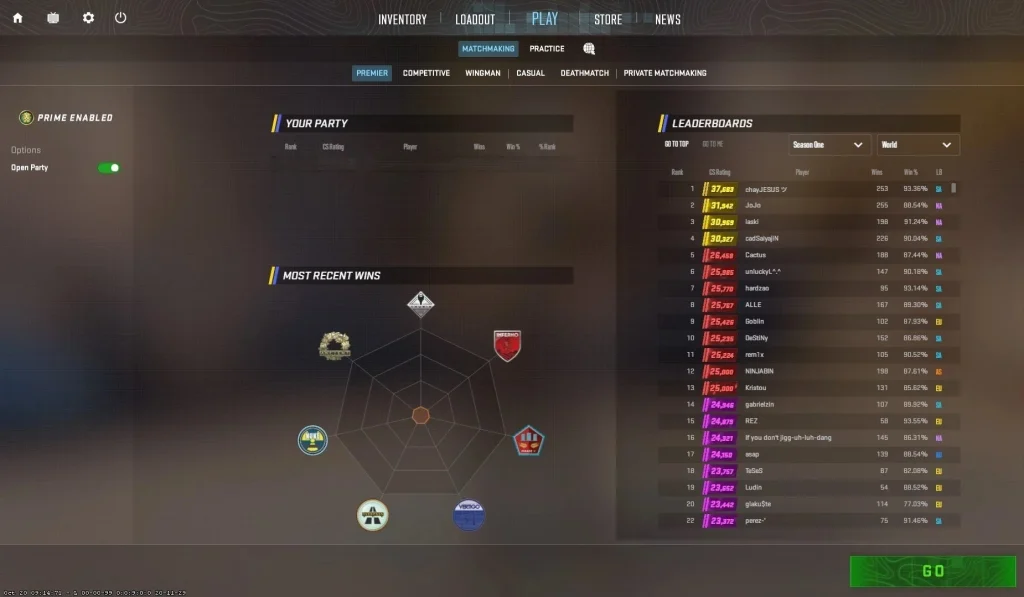
What Is Premier Mode?
If you’ve never queued up for this mode, you’ve probably saved yourself a lot of nerves. While Premier Mode proudly stands as the game’s flagship format, it introduces some mechanics that can easily tilt you. Valve designed this format specifically for the most ambitious players who want to experience a true esports environment. This premium game mode CS2 experience demands your full concentration, flawless teamwork, and a deep understanding of the entire active map pool.
How Premier Mode Works
On paper, the format looks pretty standard: it’s a 5v5 Bomb Defusal match played to 13 wins under the MR12 system. Before every match, players go through a map veto. Both teams take turns banning maps until only one remains – essentially a simplified version of pro-level map drafts. This injects a tactical element before the first pistol round even starts. You can ban your weakest map or force your opponents onto your strongest pick.
You need Prime Status and Account Level 10 to queue for Premier. After you finish your 10 placement matches, the system assigns your initial CS Rating. From there, you start dealing with the main source of player rage: the brutal plus and minus points for wins and losses. But that’s a whole different story.
Map Veto System and Active Duty Map Pool
The most interesting part of this mode is that you can’t just queue for your favorite map. Instead, the system drops you into a unique pick/ban phase. Both teams take turns banning maps from the official Active Duty pool until only one arena survives the vote. This mechanic forces you to actually learn callouts and strats for every location rather than just one-tricking a single map for years. If you only want to grind Dust 2, this game mode, CS2 definitely isn’t for you.
CS Rating System Explained
Premier also completely ditched the classic rank icons. The game now assigns you a precise numerical score – your CS Rating – which ranges from 1,000 up to 30,000+ points and features different color tiers to represent your skill bracket. The UI clearly displays exactly how much rating you stand to gain or lose before the match starts.
Honestly, it often feels incredibly unfair when you risk losing -300 points for a defeat but only gain +20 for a win. If you want a deeper dive, we break down this mechanic thoroughly in our CS2 ranks guide.
Leaderboards and Rewards
Premier features three different leaderboards: friends, regional, and global. To get your name on the public leaderboard, you need Prime Status, a verified phone number, and a qualifying number of wins. Valve resets the leaderboards every season, forcing players to consistently prove their skills. Alongside your rating, you also earn Private Rank XP and unlock your weekly care package for a chance at cases and skins.
Best Tips for Playing Premier Mode
Learn the entire Active Duty map pool before stepping into Premier. You won’t be able to dodge an unfamiliar map if the enemy team bans all your comfortable picks. Use the map veto strategically – if you suspect the other team relies heavily on Mirage, ban it immediately.
Queue up with a stack. While Premier blocks 4-stacks, you can still queue as a duo or trio. Playing with friends gives you a massive advantage over solo-queuers, so squad up to win more consistently. Keep a close eye on your team’s economy rather than just chasing kills for your K/D. Oh, and most importantly: never forget to jump into a deathmatch to warm up your aim before queuing your first game.
Competitive Mode (Classic Ranked)
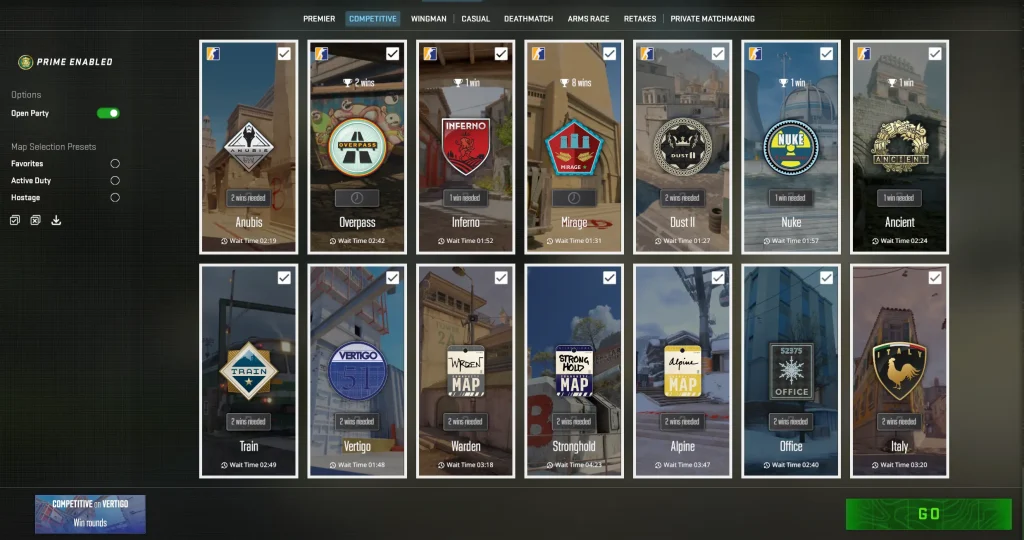
What Is Competitive Mode?
This CS2 (CS:GO) game mode feels incredibly familiar to most veterans, as Valve ported it directly from CS:GO with a few solid improvements. While you used to have one overarching rank for every map, CS2 handles things differently: you now earn a distinct rank for each specific map. You won’t find a map veto, leaderboards, or seasonal rank resets here. Instead, you get the classic 18 Skill Groups, ranging from Silver to Global Elite, and the complete freedom to choose exactly which map you want to play.
How Competitive Mode Works
You still play a 5v5 MR12 format (first to 13 wins). However, Competitive doesn’t offer overtime. Matches can end in a hard-fought 12-12 tie. Players frequently use this mode as a high-quality practice ground before diving into the sweatier Premier lobbies.
Map Pool and Match Format
As we mentioned, the biggest advantage here is total freedom of choice. You simply check the boxes next to your preferred maps in the menu before you queue up. If you want to grind absolutely nothing but Dust 2 for five hours straight, the matchmaking system will happily pair you with other die-hard fans of that location. The map pool is also significantly larger, including arenas that currently sit outside the active esports pool.
Skill Groups Explained
Valve completely overhauled the progression system for classic matchmaking. You no longer hold a single, account-wide rank. Instead, the game assigns you separate Skill Groups (from Silver to Global Elite) on a per-map basis. You have to win 10 matches on a specific map to unlock your rank for it. This approach makes all the CS2 game modes feel much more balanced.
Competitive Mode Rewards
Playing classic Competitive earns you the same standard rewards. Every finished match grants you a solid chunk of XP. When you level up your profile once a week, the game rewards you with a Weekly Care Package.
Best Tips for Playing Competitive Mode
Treat Competitive as your personal map laboratory. If your Nuke executes are weak, grind it exclusively in Competitive until you feel confident enough to bring it into Premier. Don’t stress too much over your rank here – the actual game sense and experience you build for the main mode matters way more.
Keep in mind that 4-stacks are perfectly legal here. Queuing up with three friends gives you a massive advantage over the solo players on the enemy team.
Wingman Mode (2v2 Competitive)
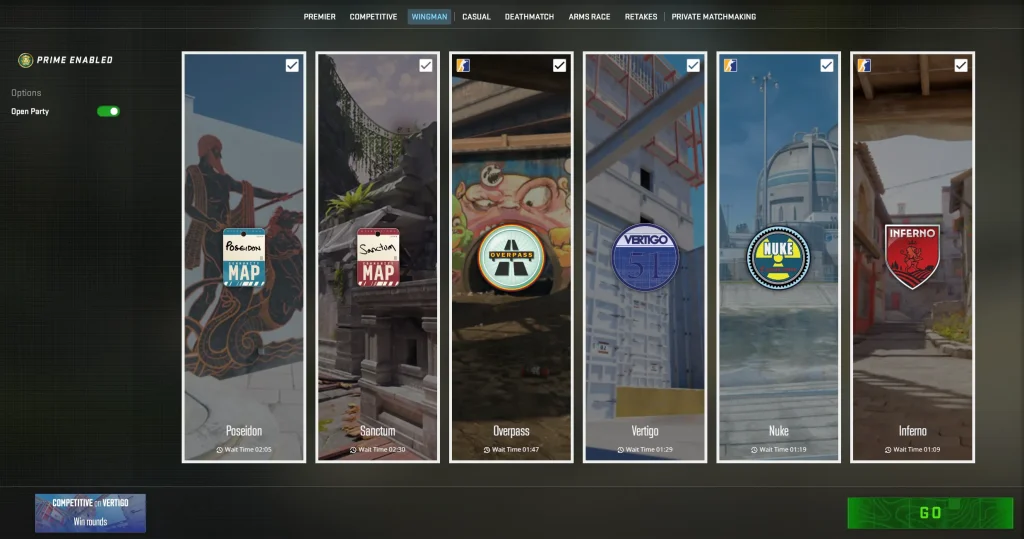
What Is Wingman Mode?
The ultimate CS2 (CS:GO) game mode for friends, or simply Wingman. It’s a highly condensed, 2v2 version of competitive CS2. Fewer players, smaller maps, and only a single bombsite skyrocket the impact of every individual decision. In a standard 5v5, you can sometimes hide behind your teammates. In Wingman, every single mistake you make is instantly exposed and brutally punished.
How Wingman Mode Works
The pacing here feels drastically different from classic matches. The developers restricted the playable area to a single bombsite (either Plant A or Plant B), depending on the specific map – you’ll see the exact layouts once you load in. Matches run on a shortened MR8 format, meaning your duo wins the game by securing 9 rounds. Shorter round timers also force you to play much more aggressively.
Wingman Map Pool
The current Wingman map pool features heavily modified, compact versions of classic maps, including Inferno, Overpass, Vertigo, and several others. Valve rotates this pool regularly alongside major game updates.
Wingman Rank System
Wingman operates on its own dedicated ranking system, utilizing the exact same 18 Skill Groups, from Silver to Global Elite, found in Competitive. Your Wingman rank remains completely isolated from both Competitive and Premier. It’s a standalone metric exclusively for this 2v2 format.
Wingman Mode Rewards
Just like the CS2 (CS:GO) game modes we covered earlier, Wingman ties right into the standard progression systems. The game generously rewards you with XP for every round you win. Because the matches fly by so fast, you can quickly farm the XP required to grab your weekly drop.
Best Tips for Playing Wingman
If you just want to mess around with a friend, don’t sweat the final score – just enjoy the game together. But if you actually want to rank up, you need to follow a few key tips. First and foremost: communication. When it’s just the two of you, clean comms are the ultimate key to winning.
Also, utility plays a massive role on these tiny maps, so buy and throw your nades constantly. Finally, don’t hoard your cash for too long. The Wingman economy lets you force-buy decent weapons pretty frequently.
Casual Mode
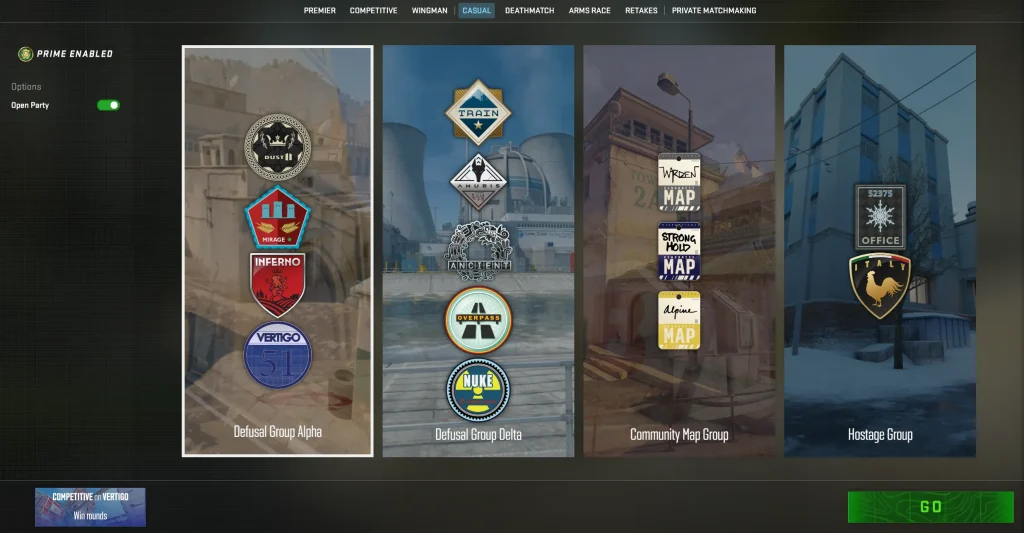
What Is Casual Mode?
Ah, Casual… But seriously, this is the most accessible CS2 game modes format for absolute beginners or anyone who just wants a stress-free session. Why? It’s simple: there’s no ranking system, no cooldown penalties for abandoning a match, and an incredibly forgiving environment where mistakes don’t cost you the game. This is exactly where most rookies take their first steps into a Counter-Strike game.
How Casual Mode Works
Casual runs either Bomb Defusal or Hostage Rescue scenarios, packing up to 10 players on each side – double the chaos of Competitive. The rounds run shorter, the economy feels heavily simplified, and players spawn with free armor and defuse kits every round without needing to buy them. Dead players can spectate the match, but they still have to wait until the next round to respawn.
Casual Map Groups
You don’t queue for a specific arena. Instead, the game lets you select a broader map group: the Active Duty Group (the main tournament pool), the Hostage Group, or the Reserves Group (featuring other classic layouts). At the end of every match, the whole lobby votes on the next map from within that group.
Rewards in Casual Mode
Casual grants you XP to level up your Private Rank, which ultimately unlocks your weekly skin drops. While it pays out less XP than Competitive, it still counts and effectively pushes you through the rank-up bar over time.
Best Tips for Playing Casual
Hardcore strats are kind of pointless here, since winning or losing a Casual match doesn’t really matter. However, it serves as a fantastic training ground. If you don’t want to learn a new map while sweating in ranked, definitely try running it here first.
Deathmatch Mode
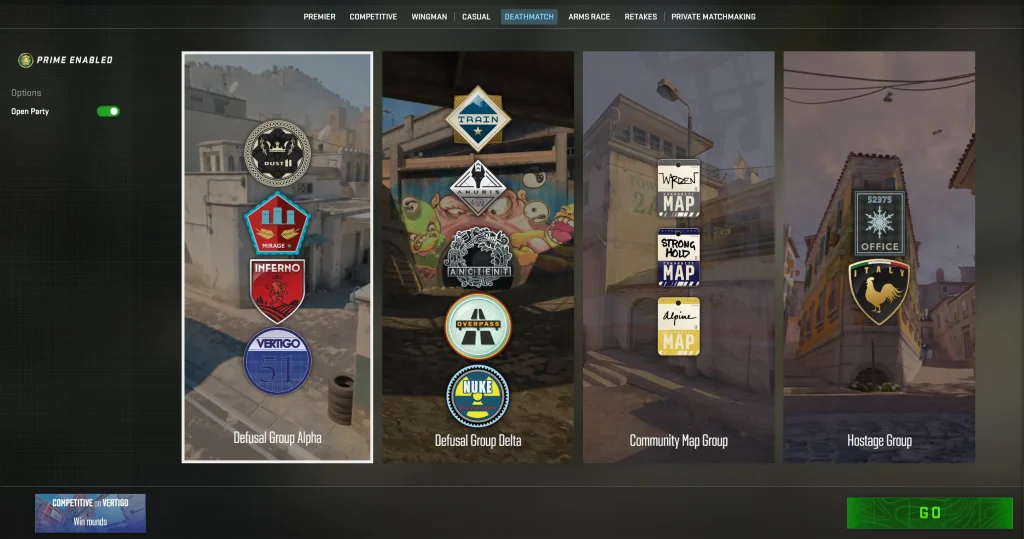
What Is Deathmatch Mode?
This is where you should be spending 10 to 15 minutes before every session. It’s your ultimate warmup zone: Deathmatch Mode! You deal with zero bombs, zero economy management, and absolutely zero wait times after you die. Instant respawns, unrestricted weapon choice, and non-stop gunfights – that’s the entire concept. Most serious players treat Deathmatch as a mandatory aim warmup before grinding ranked matches, and it is an absolutely necessary practice.
How Deathmatch Works
A match runs for exactly 10 minutes. When you die, you instantly respawn at a random point on the map. Money doesn’t matter here – you can equip any primary or secondary weapon right away. The player with the most points at the end of the timer wins. You earn points for standard kills, and Valve also throws in a bonus weapon system. A random gun that grants double points rotates in every few minutes, adding a fun little gimmick to the chaos.
Team vs Free-for-All Deathmatch
Today, Valve has made the Free-for-All format the absolute default standard in the game. You shoot at any player model you see on your screen. However, the game also lets you choose the classic Team Deathmatch variant, where you only eliminate the enemy team. To play this mode, though, you will need to search for custom community servers.
Rewards in Deathmatch
Deathmatch gives you XP to level up your Profile Rank and counts toward your weekly care package drops. You earn significantly less XP here compared to a Competitive match. However, many players don’t realize that the short format and non-stop action actually make it one of the most efficient ways to farm XP. If you’ve ever seen those Chinese case-farming bot setups, they exclusively use this mode to grind XP for their weekly drops.
Best Tips for Playing Deathmatch
There aren’t really any high-level strategies for playing Deathmatch. It doesn’t affect your stats or rank, so you can play however you want. The best advice is to treat this mode strictly as a warm-up or practice session.
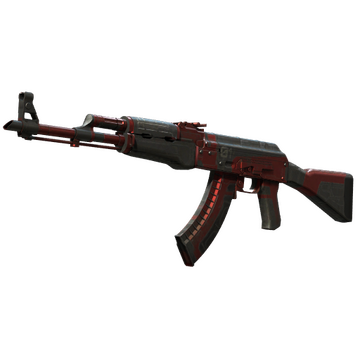
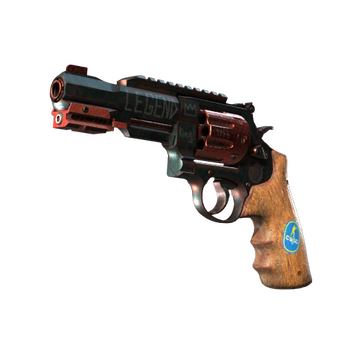
If you want to practice your AK-47 sprays or try out the R8 Revolver , this is the perfect place to do it. You get fast-paced gunfights, endless respawns, and most importantly, you face real human opponents instead of the predictable bots you find on aim-training maps.
Arms Race Mode
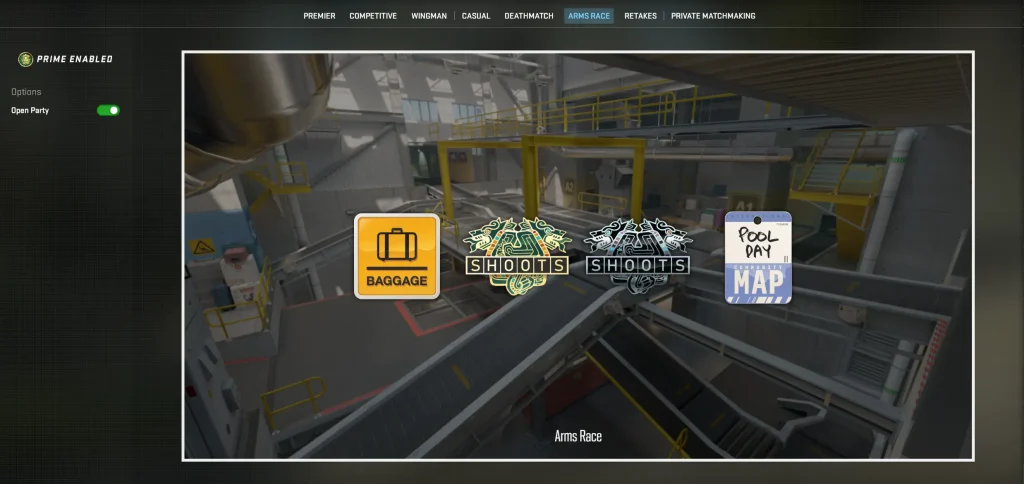
What is the Arms Race?
Without exaggeration, Arms Race stands out as one of the oldest and most beloved alternative CS2 game modes in the entire Counter-Strike series. Progressing through the weapons kill by kill, from basic pistols all the way to the knife, keeps every single match dynamic and unpredictable.
This hits especially hard when you reach the final level and frantically chase an opponent trying to get that knife kill, while they hold you off with a machine gun and refuse to let you close the distance. It’s the kind of mode where you jump in for a “quick five-minute game” and end up playing for an hour.
How the Arms Race Works
As we just mentioned, this mode features a weapon progression system that tracks individually for every player. You start with a specific gun, and as you rack up kills, you climb the ladder and unlock the next weapon. Everyone fights their way through their own personal weapon path until they reach the final tier: the golden knife. Once you get the knife, your only goal is to stab an enemy. The first player to score a knife kill instantly wins the entire match.
Weapon Progression System
The weapon progression in Arms Race moves from an SMG to automatic rifles, then down through shotguns, sniper rifles, pistols, and finally, the golden knife. Every kill pushes you up one level, and as you progress further, the game forces you to secure kills with increasingly difficult weapons.
Rewards in the Arms Race
Arms Race rewards you with XP for your Profile Rank, which counts toward your weekly drops. You won’t find a rating system here – it’s purely a casual, fun format that has absolutely zero impact on your CS2 competitive ranks.
Best Tips for Playing Arms Race
If you want to win more often in this CS2 game mode, prioritize getting kills and don’t worry about dying. Deaths don’t penalize your progression at all. Your best bet is to push aggressively and hunt down enemies instead of holding an angle and waiting an eternity for someone to walk into your crosshair.
Demolition Mode
What Is Demolition Mode?
Remember this legend? Demolition is a mode that many veterans of the Counter-Strike series remember fondly from CS:GO and still miss today. The concept hit the mark perfectly: a hybrid blending classic Bomb Defusal with the weapon progression of Arms Race. Unfortunately, Valve hasn’t officially brought this mode over to CS2 yet.
How Demolition Mode Works
If you recall, Demolition mixed standard bomb-planting rounds with a weapon progression system. After scoring a kill, the game automatically handed you a new weapon for the next round, downgrading from top-tier rifles down to weaker guns.
Matches took place on compact maps like Lake, Dizzy, and Safehouse, built specifically for this format. These small maps forced constant action and close-quarters engagements. This setup created a unique dynamic where Bomb Defusal tactics met the thrill of the gun game – making every round play out differently than the last.
Weapon Progression System Explained
The weapon progression in Demolition works differently from that in Arms Race. Instead of getting a new gun instantly after a kill in real-time, the game grants you the new weapon between rounds. Securing a kill guarantees you’ll advance one level in your loadout for the upcoming round.
Demolition Map Pool
Demolition features custom, bite-sized maps designed specifically for fast-paced rounds and compact engagements. Historically, this pool included maps like Dizzy, Lake, and Safehouse, though the exact lineup can always shift with game updates.
Practice Mode & Offline With Bots
CS2 (CS:GO) game modes are a blast, but sometimes you need to lock in and focus on honing specific skills. That’s exactly where practice maps and offline bot matches come into play. While it isn’t a traditional competitive game mode CS2 offers, as a training tool, it remains absolutely irreplaceable.
Training Against Bots
If you think playing against bots is just for kids or absolute beginners, you’re a bit mistaken. There are community servers out there where the bots are so cracked that even pro players struggle to hold their ground against them. Sure, you can fire up a standard bot match on a regular map, but let’s be real, that gets boring fast. If you really want to practice against AI, go find some custom servers where the bots are tuned up a few difficulty levels.
Practice Mode Features
Practice Mode is a standalone tool packed with advanced training features. Here you can:
- Practice your grenade lineups with infinite ammo and a visible trajectory line for every piece of utility you throw.
- Freely explore maps without a round timer or enemies breathing down your neck – perfect for learning new angles and boost spots.
- Tweak custom server settings using console commands to adjust movement speed, HP, round times, and much more.
- Run through retakes and site executions in total peace, completely free from the pressure of a live match.
Personally, we consider Practice Mode one of the most underrated tools in CS2. Most players completely ignore it and jump straight into Deathmatch. But a solid hour in Practice Mode, dialing in your nades on your favorite map, does more for your game than blindly queueing a dozen matches.
Plus, you can spend endless hours mastering tricky movement mechanics, like the Mirage window jump from top mid, so you nail it on the first try in an actual game.
Workshop Maps & Community Servers
To put it mildly, official CS2 game modes are just a fraction of what is actually available to players. The Steam Workshop and custom community servers unlock an incredible world of content. We’re talking hide-and-seek, zombie escape, aim training arenas, surfing, and so much more. We all love Counter-Strike, but grinding competitive matches can get exhausting.
That’s exactly why you should shake up your gameplay with dozens of different custom modes!
Custom Game Modes in CS2
Workshop maps and custom servers deliver experiences that official all CS2 (CS:GO) game modes simply can’t offer. Some of the most popular include:
- Surf – Players slide down sloped surfaces, building up speed to clear complex, gravity-defying obstacle courses. It’s a massive subculture within the counter strike series, complete with its own speedrun records and a dedicated community.
- KZ (Climb maps) – A parkour-style mode where players navigate difficult obstacles using advanced movement techniques. It is, hands down, one of the best ways to level up your jumping mechanics and airstrafing.
- Retake servers – These servers drop you right into a scenario where the C4 is already ticking. You either defend the site as a Terrorist or attempt to defuse as a CT. This is an incredibly effective practice for mastering the high-pressure post-plant situations that happen in every real match.
- Aim training maps – Custom arenas designed specifically to improve your raw mechanics. Fan-favorite maps like aim_botz give you way more control over your warmup routine than a standard game of Deathmatch.
- Zombie Mode – Historically, the most popular custom format in the entire Counter-Strike series. One player spawns as the alpha zombie and hunts down the humans. Every infected player joins the zombie horde until no humans are left alive. The human side has to survive until the end of the round using their loadouts, barricades, and heavy teamwork. If you haven’t played this mode yet, you know exactly what you need to do next!
How to Access Community Servers
Jumping into custom servers or Workshop maps is super easy. From the main menu, hit Play and open the Community Server Browser. This pulls up a massive list of thousands of active servers that you can easily filter by game mode, map, or region. For Workshop maps, simply subscribe to the map you want on the Steam Workshop, then launch it directly from your Practice menu or by typing a command into the developer console.
Let’s be honest, no matter which mode you are playing, it’s always more fun to tap heads with your favorite skins equipped. To grab that dream loadout at the best market price, simply use a reliable CS2 skin markets value platform.
Which CS2 Game Mode Should You Play?
Phew, that was a lot of info! But now that we’ve got all the CS:GO game modes explained, let’s briefly summarize everything. You might still be asking yourself, “Which format is actually right for me?” Here is a quick guide to help you decide:
- If you’re a complete beginner – Start with Casual or Deathmatch. Casual helps you learn the base mechanics and map layouts without the stressful pressure of Elo or ranks. Meanwhile, Deathmatch sharpens your aim and reflexes faster than any other mode.
- If you want to rank up – Your main path is Premier and Competitive. Use Premier to climb the main CS Rating leaderboard, and use Competitive to practice specific maps. Play them together to build a well-rounded map pool.
- If you are short on time – Wingman is your best bet. Packing a full competitive experience into a quick 15-to-20-minute 2v2 match makes it the perfect choice for short gaming sessions.
- If you need to practice – Deathmatch and Workshop maps give you the absolute highest return on your time investment. Maps like aim_botz and dedicated custom servers offer a specialized tier of practice that official modes simply cannot match.
Conclusion
CS2 is way more than just a sweaty competitive grind. There are a ton of different ways to play, depending on your mood. One night you’re tryharding 2v2s with a friend, the next you’re running around as a zombie causing chaos, it really doesn’t get boring. All these game modes aren’t just random options in a menu either. Each one has its own vibe and purpose, and together they make CS2 feel alive for both new players and long-time veterans.
If you’re into Counter-Strike and want to get the most out of it, stick around. We’ve got plenty more guides coming your way.
FAQ
CS2 includes Premier, Competitive, Wingman, Casual, Deathmatch, Arms Race, and custom workshop modes.
Play Premier for ranked matches, Casual for fun, and Deathmatch for practice.
Premier mode is currently the most played competitive mode in CS2.
Premier features map bans and a global CS Rating, while Competitive uses fixed maps with separate ranks.
Yes, Wingman is a ranked 2v2 game mode with its own rank system.
No, CS Rating can only be earned by playing Premier mode.
Deathmatch is the best mode for improving aim and reaction time.
Open the Play menu and select your preferred game mode before starting a match.
Yes, you can use commands like game_type and game_mode to switch modes.
Use workshop maps or create a private match with bots turned off.
Yes, smaller modes like Wingman or 1v1 maps use fewer resources.
To add a custom game mode in CS2 SDK, install the Counter-Strike 2 Workshop Tools, create a new addon, then build your mode with Hammer, addon files, and JavaScript-based cs_script scripting for custom logic. Valve’s current toolchain supports creating addons, editing maps, and adding custom scripted functionality through the Workshop Tools.
Be the first to share your thoughts.