


CS2 (CS:GO) Float Guide: All About CS2 Wear Ratings


As you know, Valve introduced a new version of Counter-Strike in 2023. Although CS2 runs on a new engine, many features remain consistent with CS:GO. One of them is the CS2 (CS:GO) float value that determines each skin’s appearance. It also combines with a wear rating CS2, which, in turn, affects the item’s price and rarity. Follow our guide for the CS2 (CS:GO) float value, explained in detail.
What Are CS2 Float Values?
And the first question we should explore is what a float is in CS2. In short, a CS2 (CS:GO) float value is the key detail in understanding the skins’ cost and rarity. It’s a decimal number between 0.00 and 1.00 that also serves as the core of the float system CS2, which determines how skin looks. This number doesn’t change while players use the skin or apply stickers on it.
Technically, the CS2 (CS:GO) float value is a more detailed understanding of the skin’s appearance. The first thing that players usually see in their Steam inventory is the Exterior. There are CS2 skin wear levels: Factory New, Minimal Wear, Field-Tested, Well-Worn, and Battle-Scared. We will explore each of these in detail later.
But why do we need these decimal numbers?
Why Float Values Are Important
In Counter-Strike, the float value is a crucial detail for every skin without exception. As we already mentioned, it determines the visual part of each skin, making it look like a new one or with scratches and fading. As a result, the CS2 (CS:GO) float value directly affects the skins’ value, rarity, and collector demand.
For example, the better the skin looks, the more valuable it is. The lower the skin’s float value, the rarer it is. In the end, it is more prestigious to own such a skin than the other one in the worst condition.
Moreover, float CS2 also influences trading decisions and skin market trends. Traders and collectors prefer the lowest skin float. The reason is that the pristine condition dictates maximum rarity and price appreciation. In the end, the rarer the skin’s wear quality, the more coveted it is.
How CS2 Wear Ratings Work
CS2 skin wear levels are the visual categories that translate a CS2 (CS:GO) skin float value into a recognizable condition. As we already mentioned, there are five fixed wear levels. In each of them, CS2 float ranges are fixed numerical values. For instance, in the Minimal Wear level, CS2 float ranges from 0.07 to 0.15.
As a result, the same skin in the same CS2 skin condition may look different. Sometimes this contrast is less noticeable, while at other times it causes numerous scratches. However, skin float affects the visual wear rating CS2 and the final price of the item. It means that the mentioned skin in the same condition could cost differently.
CS2 Skin Wear Levels and Float Ranges
Now, let’s check the details about all CS2 skin wear levels. For a better understanding, we add the CS2 skin wear chart:
| Factory New | 0.00 – 0.07 |
| Minimal Wear | 0.07 – 0.15 |
| Field-Tested | 0.15 – 0.38 |
| Well-Worn | 0.38 – 0.45 |
| Battle-Scarred | 0.45 – 1.00 |
Factory New (0.00 – 0.07)
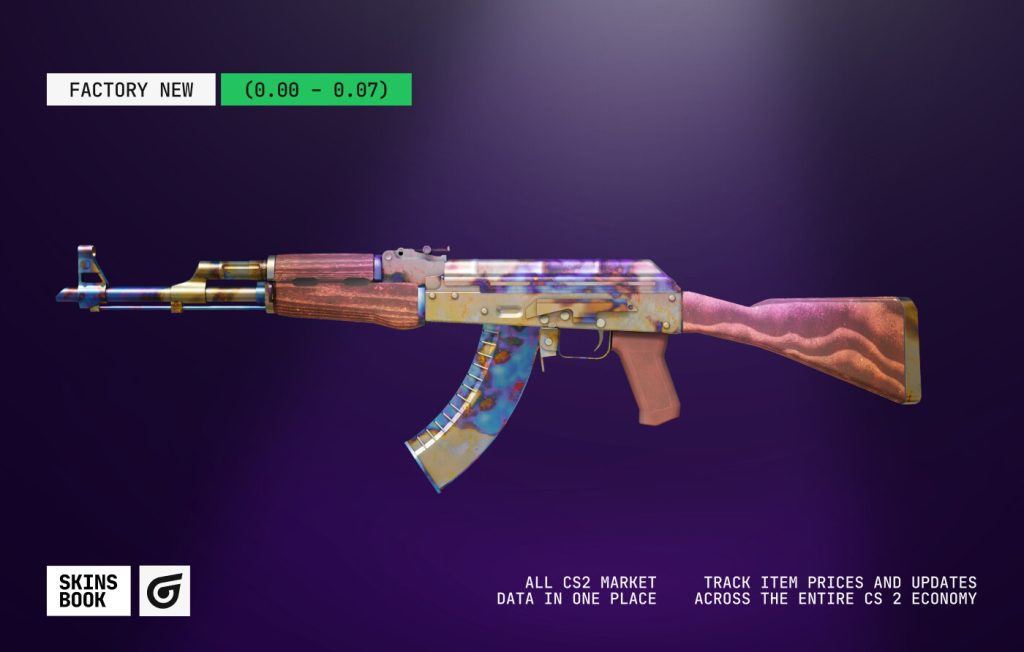
For Factory New wear level CS2 float ranges from 0.00 to 0.07. In this condition, skins usually have the best surface, fresh colors, and zero scratches (or minimal noticeable). Also, here players can find the CS2 (CS:GO) lowest float skin. Additionally, it’s the rarest and the most expensive wear rating in CS2.
Minimal Wear (0.07 – 0.15)
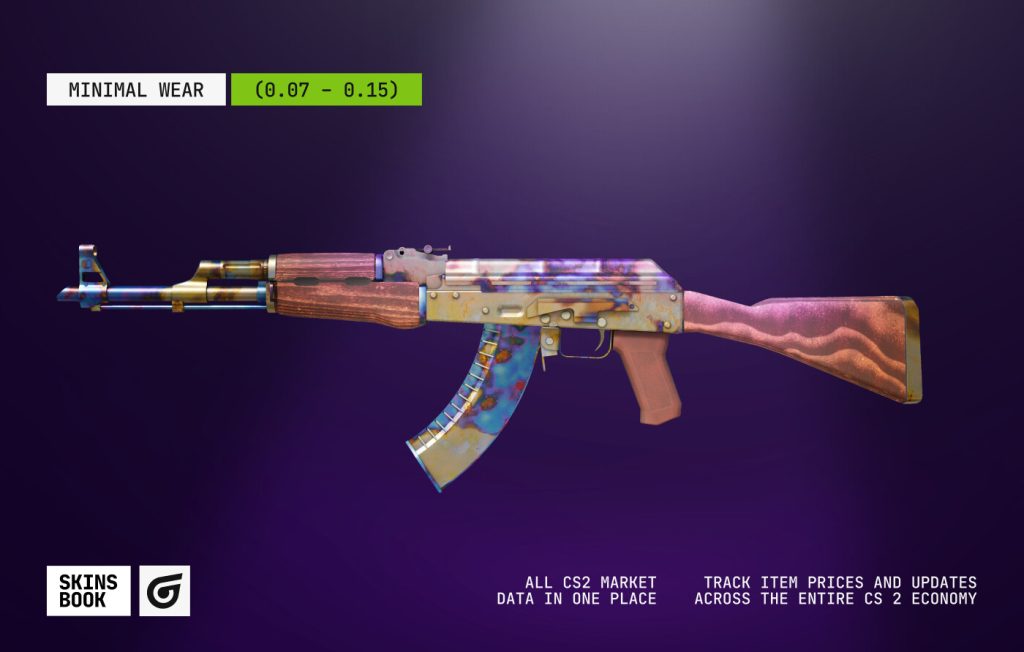
For the Minimal Wear level, CS2 float ranges from 0.07 to 0.15. This wear rating CS2 already shows some scratches or fading. It may be slightly noticeable. The skins with CS2 (CS:GO) float caps like 0.00-0.08 could have no worn effects at all. Usually, it applies to CS2 Knives with such CS2 float ranges. However, Minimal Wear skins are the most popular due to their appearance and lower prices, which can be significantly lower than for Factory New wear-level options.
Field-Tested (0.15 – 0.38)
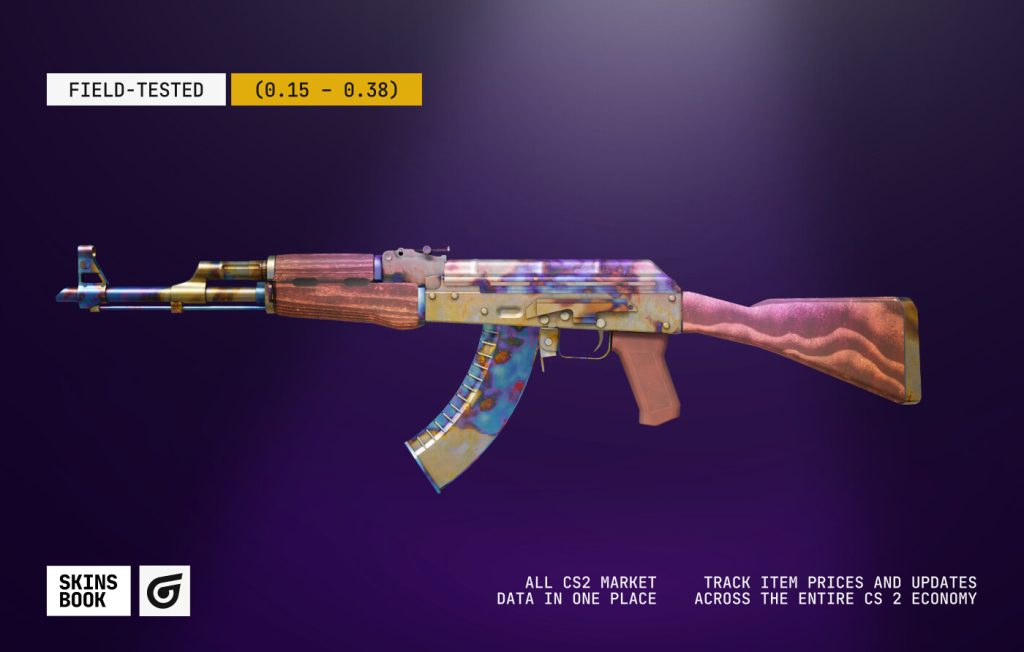
For Field-Tested wear level CS2 float ranges from 0.15 to 0.38. Among all CS2 skin wear levels, this one is the most treacherous. Players can buy or trade the same skin in Field-Tested condition, but one user will see only a few scratches, while another will see large, faded areas. Moreover, the price difference between these two cases with a different CS2 (CS:GO) float could be inconspicuous. Regardless, this wear level keeps a fine line of a good appearance and a reasonable price in the CS2 community.
Well-Worn (0.38 – 0.45)
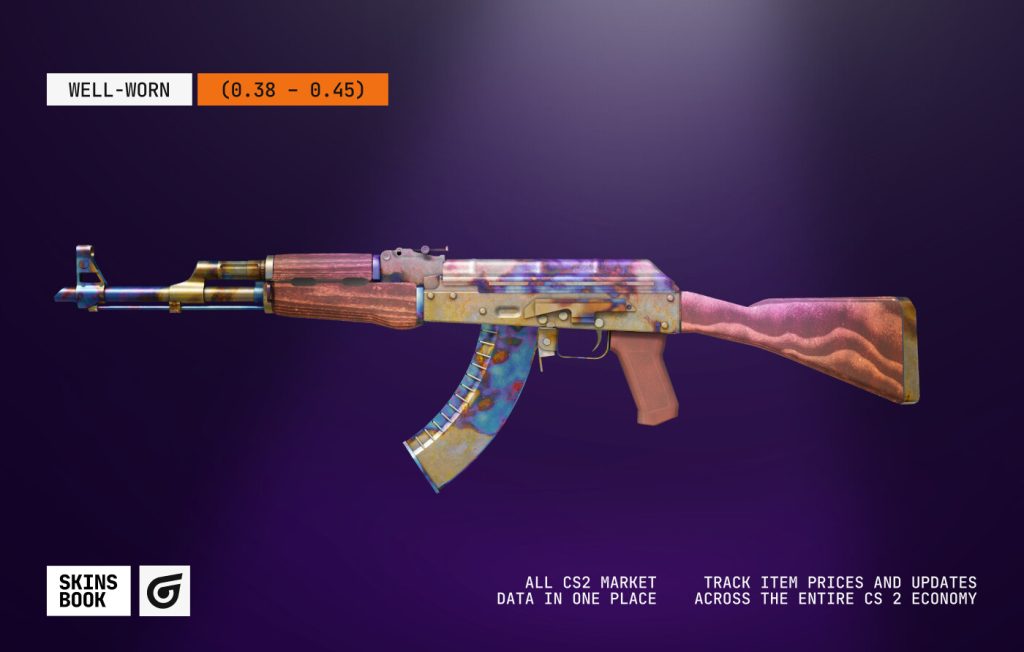
For Well-Worn wear level CS2 float ranges from 0.38 to 0.45. The skins with such CS2 (CS:GO) float value have noticeable scratches and fading. Still, despite the clear visual disadvantage, skins with such a float value are among the cheapest on the market.
Battle-Scarred (0.45 – 1.00)
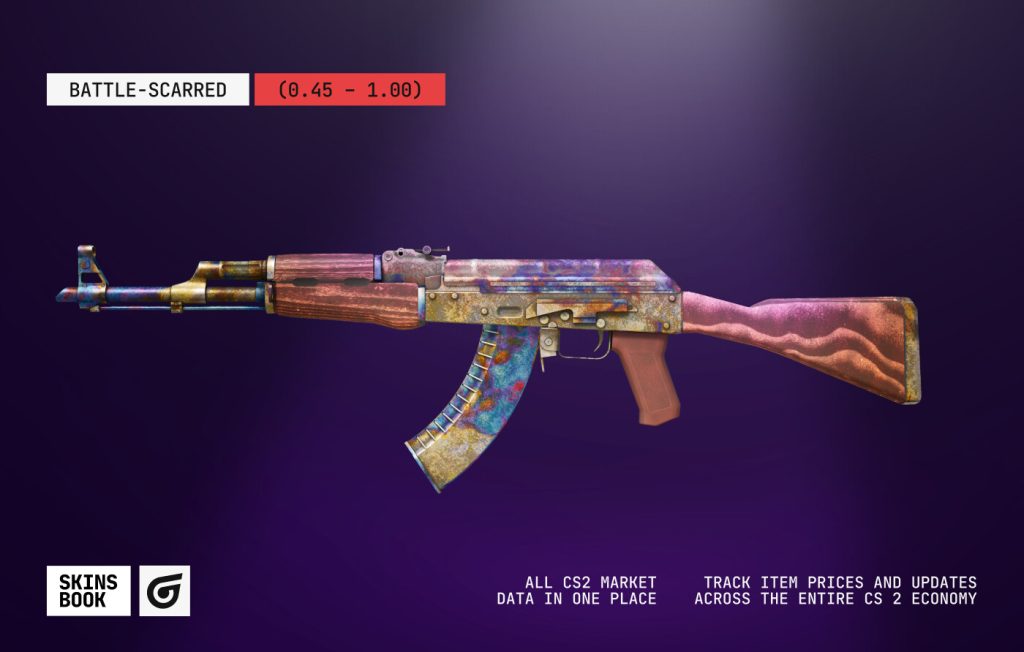
For Battle-Scarred wear level CS2 float ranges from 0.45 to 1.00. The skins with such float CS2, like Well-Worn wear level, also have noticeable scratches and fading. The only advantage they have is a low price, which is rarely higher than Well-Worn. Lastly, players can find the highest float CS2 (CS:GO) skin here.
How Float Value Affects the Price of a CS2 Skin
The CS2 (CS:GO) float value is the crucial factor in determining a skin’s price, which often leads to dramatic price changes. Usually, low float CS2 skins have the highest price. The reason lies in their perfect appearance. In contrast, high float skins are the least expensive due to the large value of scratches and fading. With such a Counter-Strike float, the skin’s design could be almost invisible, lacking many details. And only some parts of a weapon can remind players of the original finish.
At the same time, both ultra-low and max-float items are popular among collectors due to their scarcity. With the first option, it’s clear: the skin is in perfect condition. For the second option, excessive wear can make the skin look unusually dark, rare, or visually distinctive.
How to Check Float Value in CS2
Checking a skin’s CS2 (CS:GO) float value is crucial before buying or trading. You can find the practical ways to check skin float values below.
In-Game Inspect Feature
If you want to know how to check the CS2 float, the easiest way is to use the in-game inspect feature. First of all, players should open their inventory in CS2 and find the skin they want to explore. The next step is to right-click the chosen item and select Inspect. Players can click the “i” icon or Inspect in detail within the inspect screen. You can see the exact decimal CS2 (CS:GO) float value next to the wear rating.
Steam Inventory View
Steam’s inventory interface also shows the CS2 (CS:GO) float value. Players should find Inventory, choose Counter-Strike items, and click on the skin they want to explore. In the right window, there is a Wear Rating below. It’s available even if a skin is under Trade Protection at the moment.
Third-Party Float Checkers
Players can also use the CS2 float checker. Such a tool uses the skin’s unique Steam link to pull its data from the API and instantly displays the CS2 (CS:GO) float. As a bonus, you can use it to check a pattern seed and the current price.
Marketplaces / Trading Platforms with Built-in Float Tools
Lastly, some marketplaces have built-in float tools. It is especially useful if you decide to buy a skin with a slightly different price and with the same wear level. The only thing players should do is to pay attention to the lower CS2 (CS:GO) float value between two offers. Check the best CS2 markets list to find the offer that best suits your goals.
Why Two Skins With the Same Float Can Look Different
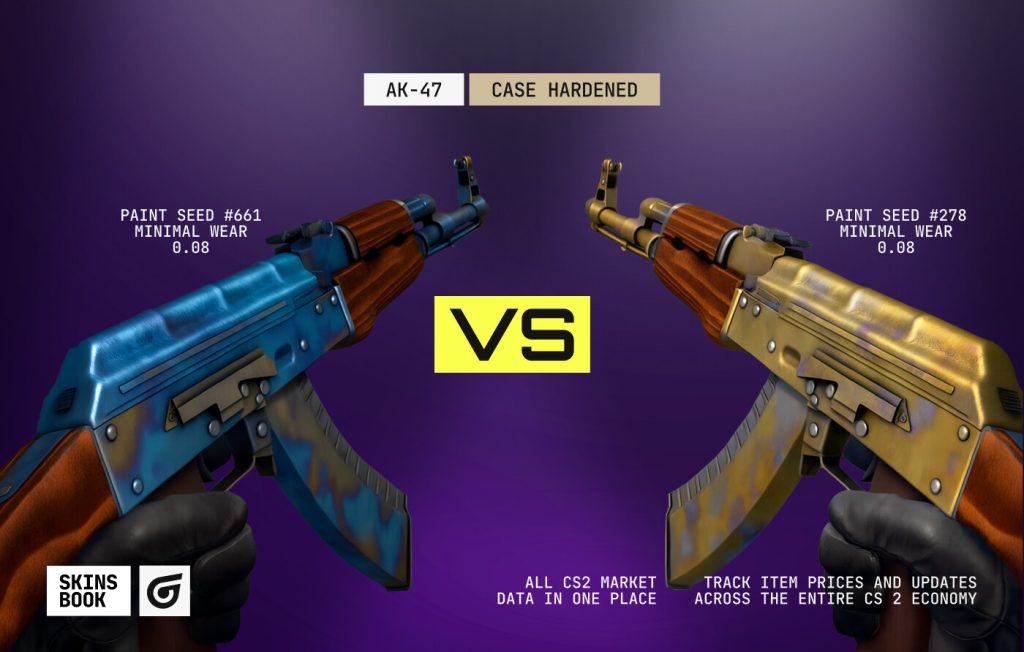
The interesting fact is that sometimes two skins with the same CS2 (CS:GO) float value can look different. The main factor lies in CS2 skin patterns. Some skins, depending on the design behavior (case hardened, fade, or anodized), have a unique CS2 paint seed that ranges from 1 to 1000.
For example, AK-47 | Case Hardened in Minimal Wear with 0.08 float CS2 will have a different rarity and value for paint seed #661 and #278. This is the situation of float vs pattern, when the skin float, which is an essential detail on the market, is less crucial than a pattern seed.
Secondly, the wear itself is randomized, meaning the specific scratches, scuffs, and paint loss are distributed differently across the model. As a result, one skin might have concentrated wear on a visible edge, while another with the same CS2 (CS:GO) float has wear hidden on the less visible side.
Additionally, use our platform to compare CS2 (CS:GO) skin prices and get the best offer instantly.
Restricted Float Ranges: Skins With Unique Float Limits
In addition to items with a full spectrum of float range, there are CS2 limited float skins. As you already know, these items have a float cap CS2, which makes their appearance unique regardless of their market classification. In such cases, the CS2 (CS:GO) float range dictates the lowest and highest possible wear level it can achieve.
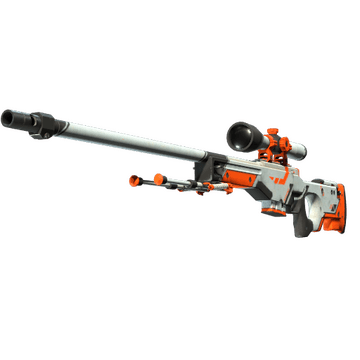
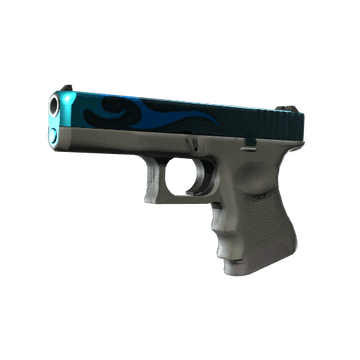
For example, the restricted wear skins are AWP | Asiimov (0.18 – 1.00), Glock-18 | Bunsen Burner (0.00 – 0.80), AK-47 | Safari Mesh (0.06 – 0.80), and MAC-10 | Sakkaku (0.21 – 0.79). Some of these skins can offer the best appearance only in Minimal Wear or Field-Tested wear levels due to their CS2 (CS:GO) float range, while others’ highest float is capped well below 1.00, preventing them from exhibiting heavy usage.
What Are Ultra-Low and High Float Skins?
Ultra-low and high float skins show two opposite options of the CS2 (CS:GO) float value range. Collectors and traders highly seek them. The reason lies in the uniqueness and scarcity.
Ultra-Low Float Skins (0.00x)
The skins with ultra low float CS2 are those with a value as close to 0.00 as possible. Obviously, they have the best appearance and the ideal Factory New wear condition. The CS2 (CS:GO) lowest float skin is M4A4 | Howl with a float value of 0.00000000010431. The skins with ultra low float are exceptionally rare and command an outstanding price premium over regular Factory New skins.
High Float / Max Float Skins (0.99x)
Max float skins have a value as close to 1.00 as possible. These Battle-Scarred items with an exceptional CS2 (CS:GO) float value are highly sought after in a niche collector market and are known as “Black Floats” or “Max Wear” patterns. The reason is that extreme scuffing can produce a unique visual effect. For example, a skin can become entirely black, dark, or it can obscure undesirable parts of the texture.
Tips for Buying and Trading CS2 Float Skins
As you already noticed, it’s important to understand skins float while buying or trading them because it can save funds and get a better addition to the inventory. First, always check the float before buying. For example, there is a difference between 0.07 Minimal Wear and 0.14 Minimal Wear conditions. With the second CS2 (CS:GO) float value, you may have several scratches on the skin.
That’s why the next crucial step is to use a trusted float checker. It helps players save funds and get real gems. Of course, remember to compare float CS2 and pricing across listings. Sometimes, players can even find a cheaper offer with a lower skin float. Also, verify authenticity and inspect patterns. It’s essential if we are talking about skins like Case Hardened or Doppler. Lastly, add actionable search-intent keywords to find the offer that best suits your goals.
Conclusion
In conclusion, the CS2 (CS:GO) float value is a crucial detail for each skin, as it defines its look, rarity, and identity. The CS2 (CS:GO) lowest float skin, like 0.00, guarantees both visual appeal and scarcity, while the highest float CS:GO skin results in a strong Battle-Scarred wear level. Understanding the Counter-Strike float helps players buy, trade, or collect skins at a good wear level and avoid buying unworthy items. With our CS2 (CS:GO) float guide players can create a great collection of skins and save funds!
FAQ
CS2 (CS:GO) float is a value that determines how skin looks
The float mostly ranges from 0.00 as the best to 1.00 as the worst condition: Factory New (0.00–0.07), Minimal Wear (0.07–0.15), Field-Tested (0.15–0.38), Well-Worn (0.38–0.45), and Battle-Scarred (0.45–1.00)
It's generally considered to be 0.07 or lower (Factory New). With such a CS2 float, the skin looks the best and most valuable
The rarest float value is one that is extremely close to zero, like 0.00. The reason lies in the fact that it represents the best Factory New wear condition. The skin with such rare float is M4A4 | Howl, whose float value is 0.00000000010431
A float appraiser in CS2 evaluates a skin's float value and its pattern index to determine its exact rarity, quality, and market value
A lower float value represents a better skin condition, which is also more valuable
As soon as a skin is generated, its float value never changes, regardless of how many matches you played with or how many stickers you applied
Float caps limit some skins' float value, making them extremely rare, expensive, and available only in a specific range. The outstanding example is Bayonet | Doppler with its 0.00-0.08 float range (FN, MW)
The 0.1 float value represents Minimal Wear condition, which is suitable for most CS2 skins
The 0.09 float value is relatively rare since it represents Minimal Wear condition, but the rarest value is the one that is close to zero


Be the first to share your thoughts.